
Inspect
Viewer
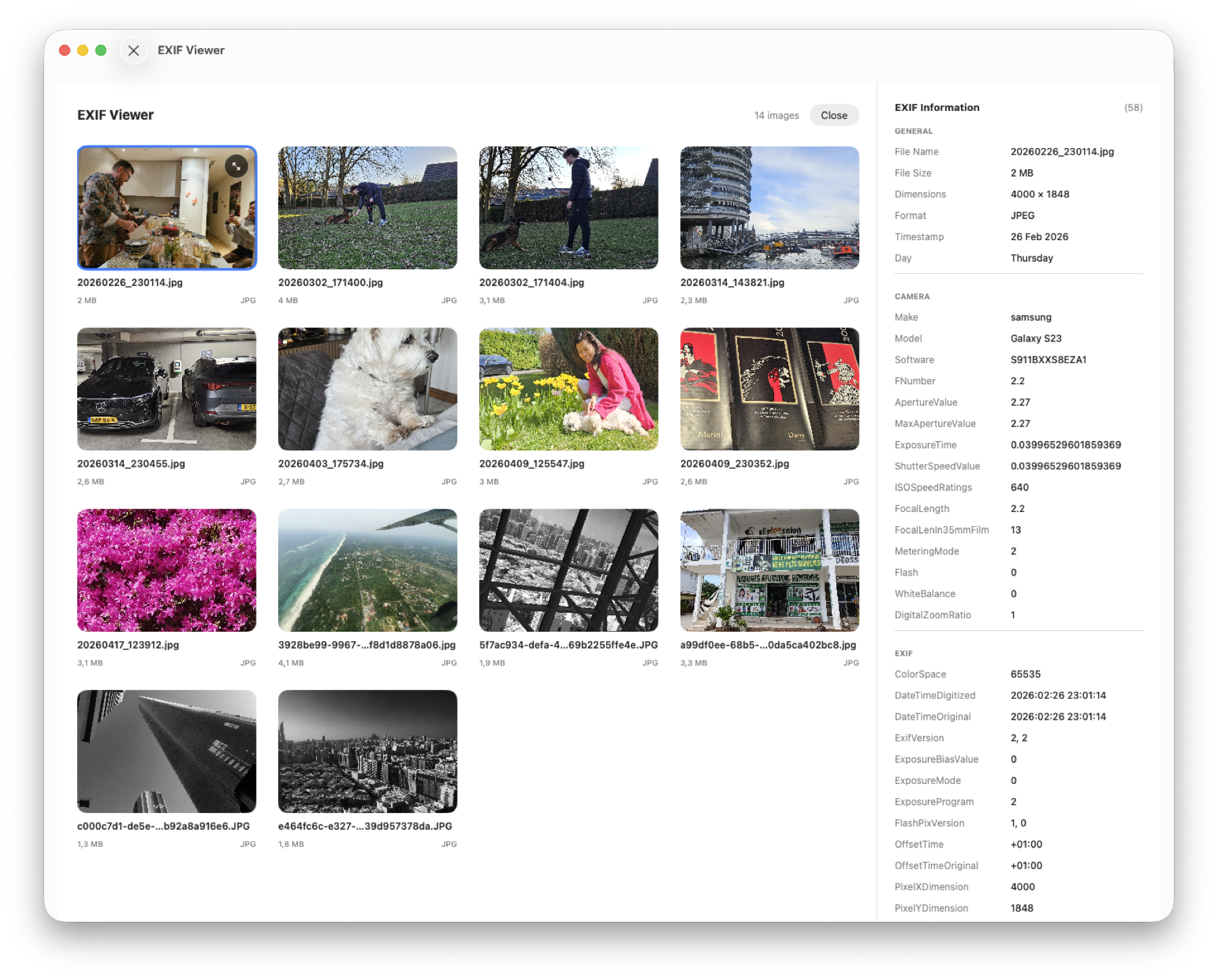
Browse thumbnails, grouped metadata, file details, and GPS previews without exposing save controls.
- EXIF
- TIFF
- GPS
- IPTC

Mac image metadata editor
ExifMaster Editor helps you inspect EXIF, GPS, camera, and rights metadata, remove sensitive fields, and save edited copies without changing originals by default.
Three focused modes
ExifMaster is organized around the jobs people actually open a metadata app to do. Each mode has its own surface, controls, and safety boundary.
Inspect
Browse thumbnails, grouped metadata, file details, and GPS previews without exposing save controls.
Remove
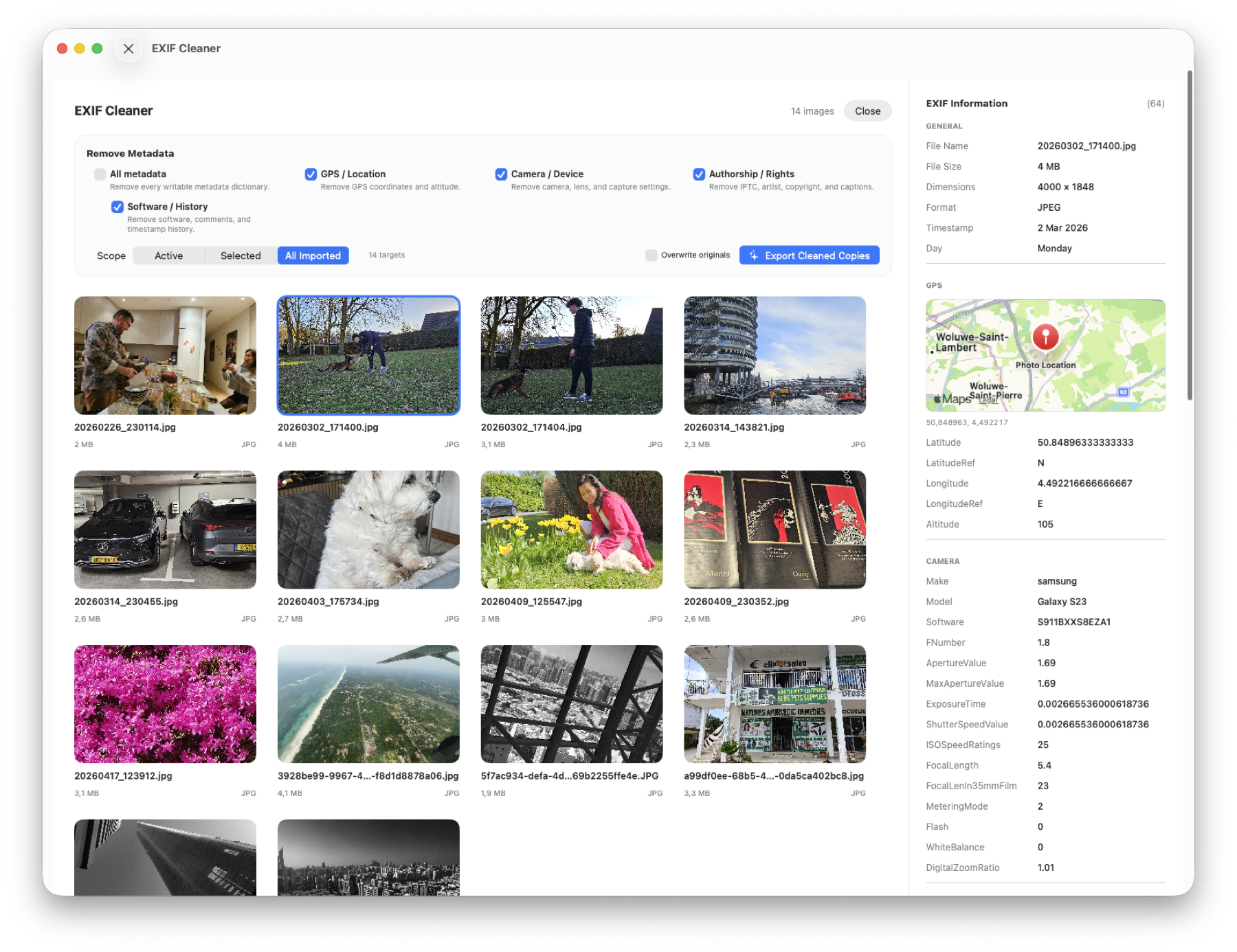
Clear location, camera, authorship, software, or all metadata groups, then export cleaned copies.
Correct
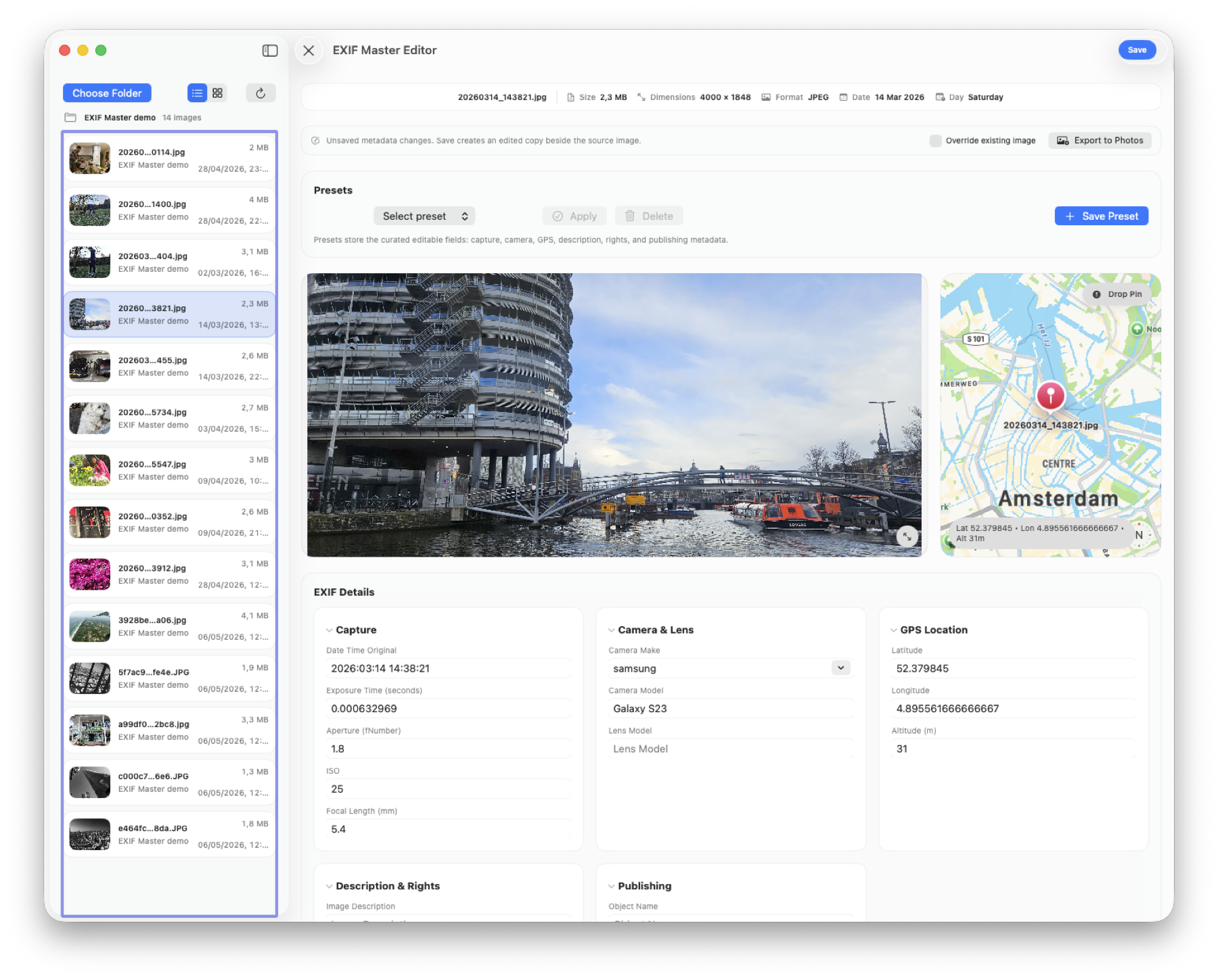
Edit curated capture, camera, GPS, description, rights, and publishing fields, then save edited copies.
Built for safer edits
Metadata changes can be destructive when tools hide their save behavior. ExifMaster puts the output model in front of the workflow.
Metadata coverage
The app reads common ImageIO metadata groups and exposes practical editable fields for capture, camera, GPS, descriptions, authorship, and rights. Writing still depends on what the image format supports.
Release links pending
Download, support, and legal destinations are wired as placeholders until the public listing and final contact details are approved.